One device at a timeCustomer supportNo automatic renewal
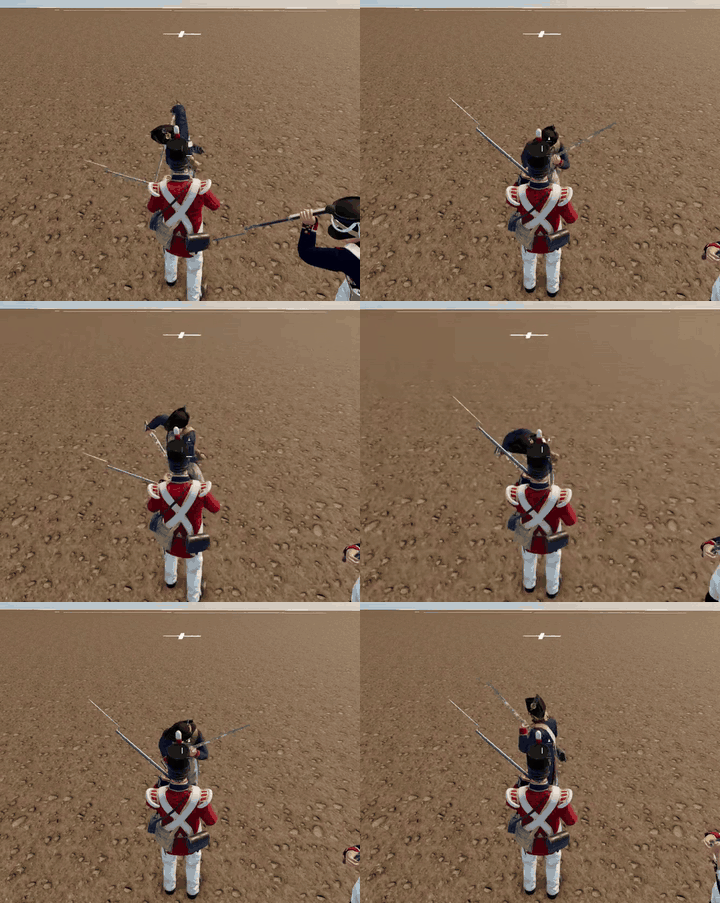
Swipe to compare all three passes →
A closer look
Explore the trainer
Features, setup & updates
Melee assistance
What is Autoblock?
The Holdfast autoblock feature automatically selects the blocking direction in response to nearby melee attacks. It assists with the timing and direction of your defence during close combat.
Adjust the assistance settings through the in-game menu.
Holdfast ESP is an on-screen overlay that highlights players with boxes, names and distances, including when scenery blocks your normal view. It helps you locate players and keep track of their position.
Choose which information appears and set the display range through the menu. The overlay appears on your own screen.
We are working on additional features and testing them before release. For now, our focus is melee defence and player information rather than teleportation or no-reload changes. Future additions will be announced when ready; only released features are included in the product.
Updated getting-started guide with clearer installation, license activation and account sign-in instructions.
2 Oct 2026, 23:55
0.13.0
Account-free activation by license key. One PC per key; duration starts on first activation. Existing account sign-in, Autoblock, ESP, languages and shortcuts retained. Restart Holdfast after updating.
2 Oct 2026, 16:57
0.12.0
ESP boxes, names, distances and range controls. Improved sign-in retries. Existing Autoblock, language settings and custom shortcuts retained. Restart Holdfast after updating.
2 Oct 2026, 16:21
0.11.1
Launcher update with language preferences and customisable shortcuts.
2 Oct 2026, 00:50
Compatibility & server rules
Available for Holdfast: Nations At War on Steam, Windows 64-bit. An active license and an internet connection are required.
 vexoli.